Automation debugger
Open Dikciz > Automation debugger to follow a dispatched event through its handlers and phone commands. Dikciz > Skills, agents & rules opens the companion instruction manager. Both screens use the shared phone tools.
Browse what happened
- Start on Events, or choose scripts, apps, commands, assistant turns, returned actions or all records from the filter.
- Use Older and Newer to browse retained history. Each row shows its kind, outcome and start time.
- Tap a row to inspect the selected record and its trace. Parent IDs link the cause to its work. Long traces have their own paging controls.
- For an event, choose Event payload to inspect retained data. Choose Simulate to test a current script or app against that event.
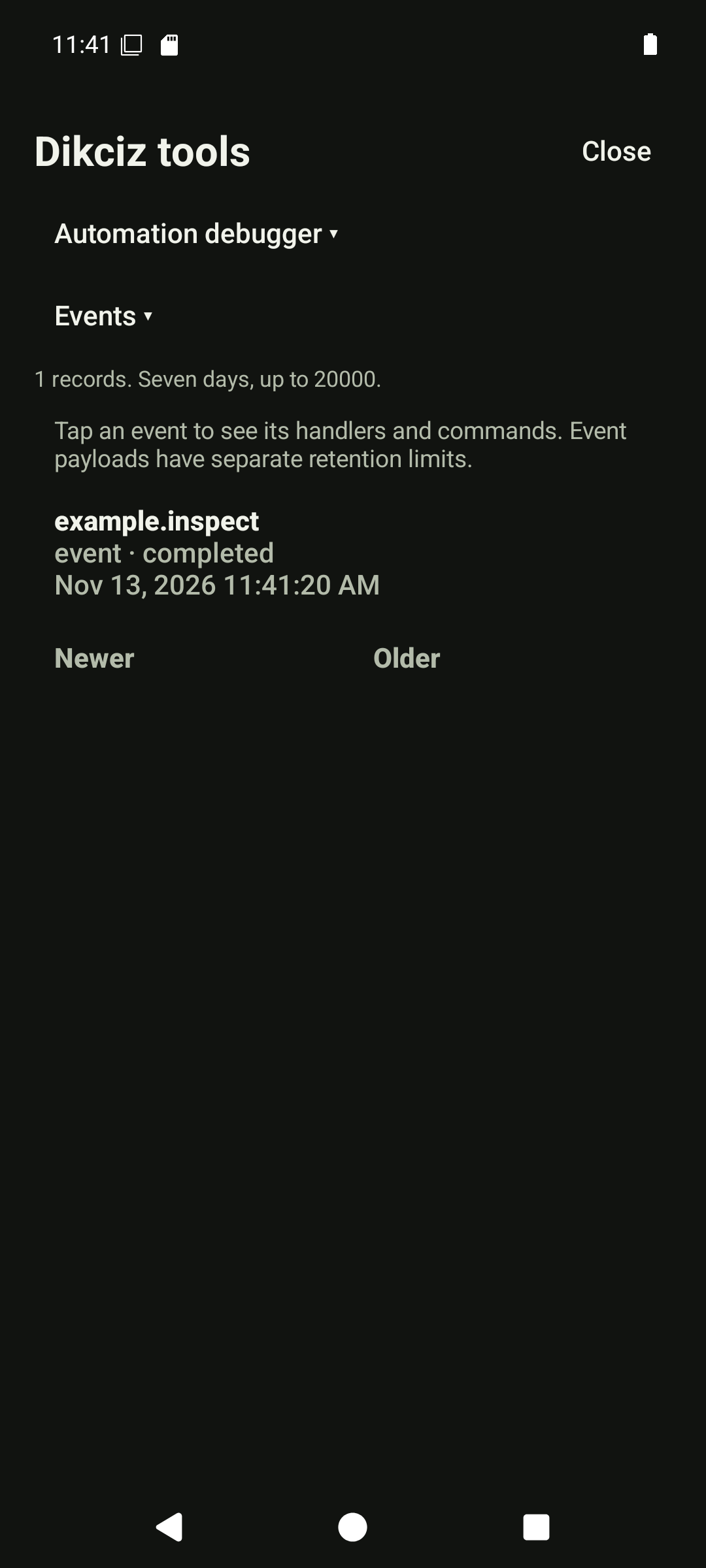
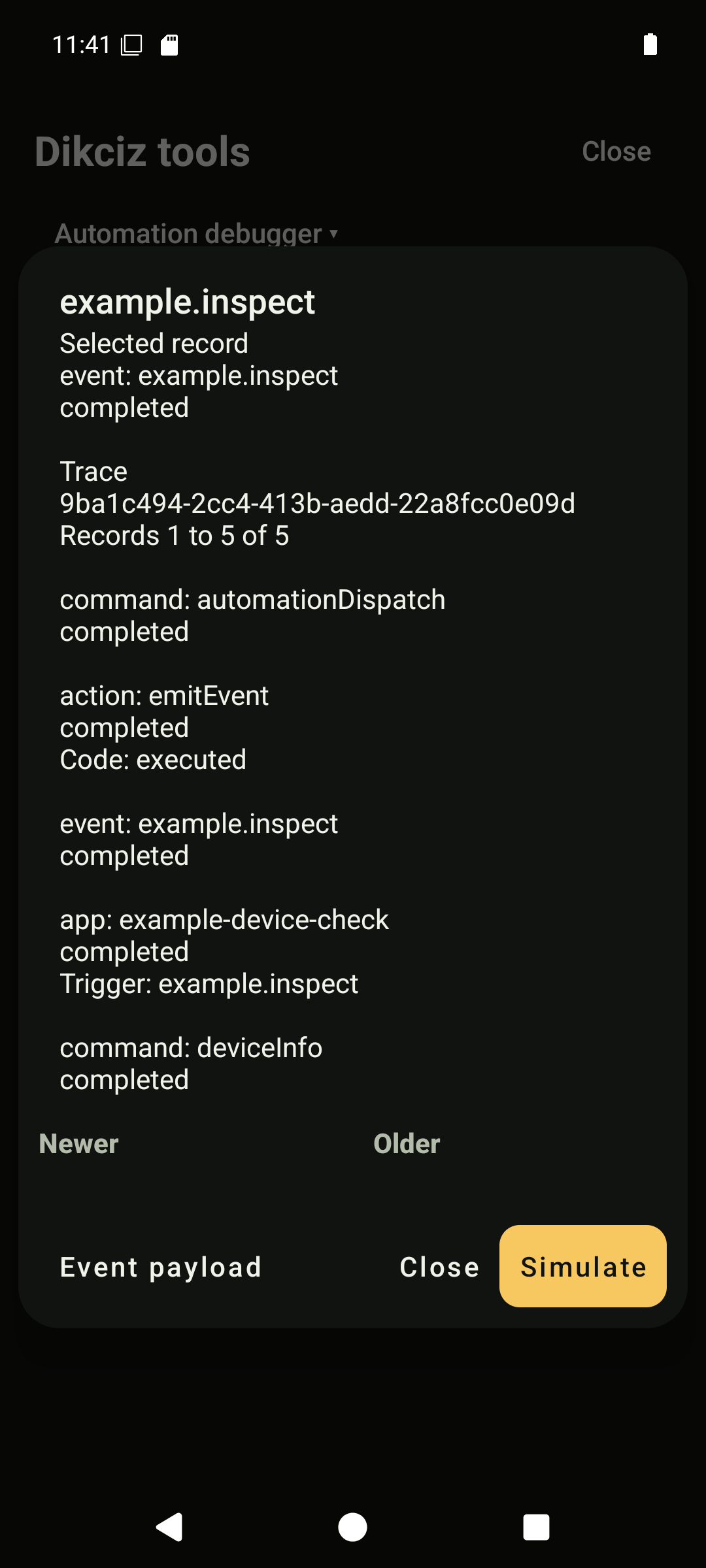
A completed record means that execution returned. Verify the operation's own delivery or launch result before claiming an external effect completed. An interrupted record has an uncertain final effect. Do not automatically replay writes after interruption.
Simulate a handler
Simulation runs Lua or headless JavaScript against a sample event or a retained event. Choose one current script or app from the native dialog, or submit source through the shared API. Disabled code can be inspected without enabling it.
Every command callback is intercepted, including reads. Returned actions are listed without applying them. Simulation does not write files or state, create schedules, emit output events or operate Android hardware. It uses a current state snapshot and Android grant metadata. It tests the handler, rather than subscription filters or policy decisions.
The response includes simulated, outcome, sourceRevision, captured commands, returned actions and actionDetails, and any handler result or failure code. Compare the revision with the earlier handler record: recorded-event replay uses current source, not historical source. Command interception does not validate whether Android would accept that command or its parameters.
This HTTP/WebSocket body intercepts speech instead of speaking:
{
  "type": "automationSimulate",
  "requestId": "example-simulation",
  "language": "javascript",
  "source": "function onEvent(event) { context.request({type: 'speechSpeak', text: 'Simulation'}); return {actions: []}; }",
  "event": {
    "type": "example.test",
    "payload": {}
  }
}
For a saved app, replace source and language with appId. For an earlier event, replace event with its event recordId. Optional ordered replies entries contain type and a fake result object for each intercepted command. Their types must match the command order. Without a fixture, the fake result is {"state":"simulated"}. No command executes to supply a missing result.
History and payload retention
SQLite keeps completed trace metadata for seven days, up to 20,000 records, with pruning during recording and reads. Running rows become interrupted after process death. History begins when this feature is installed. It is not a record of every Android action or previously unrecorded work.
Event payloads stay in the separately bounded event journal. Its defaults are 60 minutes, 2,048 events and 8 MiB. Metadata can remain after a payload expires. Payload inspection reports expired, omitted and restarted-journal cases explicitly and rechecks current Android source permissions.
Traces link dispatched events, synchronous script/app handlers, returned script actions, shared commands and queued assistant turns. Asynchronous WebView callbacks create separate command traces; command activity retains their widget identity. Metadata excludes command arguments, results and event payloads.
API reference
| Ordinary command | MCP tool | Required input and result |
|---|---|---|
automationHistory | dikciz_automation_history | Optional exact kind, name, outcome, traceId and recordId filters. limit 1 to 200 and offset 0 to 1,000,000. Returns newest-first items, total and hasMore. |
automationHistoryEvent | dikciz_automation_history_event | Event recordId. Returns the retained event after current source-access checks. |
automationSimulate | dikciz_automation_simulate | Exactly one scriptId, appId or source; source supports language lua or javascript. Supply event or recordId. Optional ordered replies. Returns the intercepted execution result. |
Records contain id, traceId, parentId, kind, name, sourceRevision, startedAt, finishedAt, trigger, outcome and code. Times are Unix milliseconds. A zero finishedAt means completion was not observed. Simulations allow up to 100 intercepted commands and 256 KiB of output.
Remote clients need explicit operation grants. Event-payload and simulation grants can disclose every retained event source and current source/state-derived values, subject to Android access. Simulation remains read-only because it intercepts all effects. Instruction management is mutating and remains hidden and blocked in read-only chat.
Read the built-in dikciz-debug-automation skill through assistantLibrary for the assistant's diagnostic procedure. The instruction manager teaches self-authoring; the command reference contains the installed input schemas.