Dikciz documentation
Your phone is programmable. Start with an editable Android home, build complete HTML/CSS/JavaScript apps, run Lua or JavaScript in the background, and connect your own AI to the same phone tools.
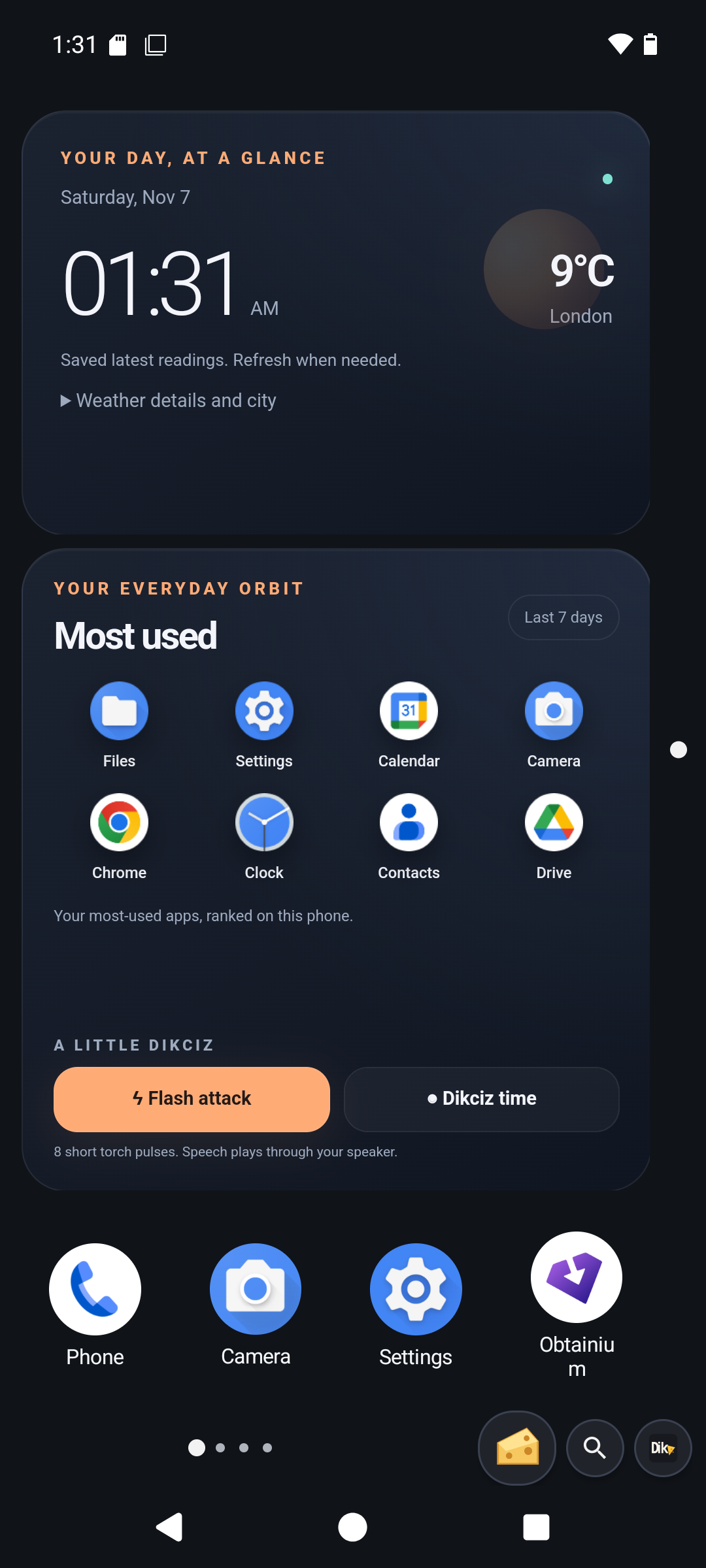
Find a guide
Use the tutorial for installation and first steps, or choose a task below. Download the signed APK from GitHub Releases. The command reference records accepted inputs; the guides explain Android access, effects and recovery. Discover the installed build before using commands added after its release.
| Task | Guide |
|---|---|
| Follow short procedures using exact shared commands | Recipes |
| Build apps, scripts and controllers from documented APIs | Developer manual, JavaScript, Lua |
| Look up every token grant and exact operation/action/resource scope | Token permission reference |
| Follow the illustrated setup, chat, scripting and Android-control walkthrough | Dikciz tutorial |
| Find a screen, dialog, menu or recovery step | Screens and guided workflows |
| Discover and invoke public SDK overloads, handles and callbacks | Android SDK bridge |
| Install, choose Home, navigate, edit pages/widgets, manage apps and scripts | Illustrated user guide |
| Configure the on-device assistant and event-driven conversations | Embedded chat |
| Browse every bundled page, HTML template and Lua example | Starter home |
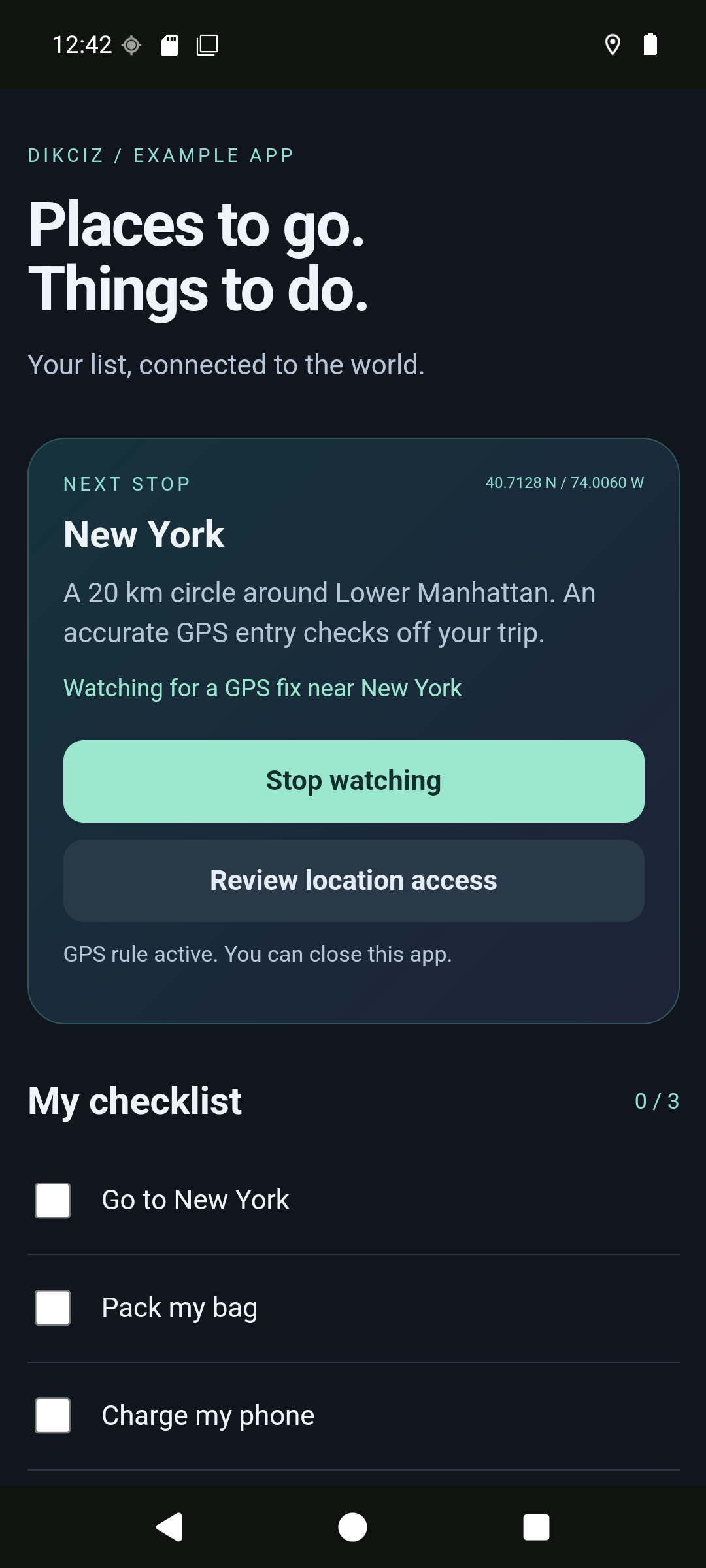
| Build a checklist that checks a task after GPS arrival | Travel todo tutorial and source |
| Create complete UI/backend apps with state, timers and alerts | Custom apps |
| Edit files, themes, grid, widget state, libraries, policies, logging and listeners | Configuration |
| Look up every typed action, its fields and Lua policy name | Typed actions |
| Check Android grants, foreground requirements and privilege boundaries | Android access |
| Write Lua and HTML, publish events, use policies and the native bridge | Scripting tutorial |
| Give clients named credentials with separate grants | Remote access tokens |
| Connect HTTP/WebSocket/MCP, authenticate, discover and request permissions | Automation control |
| Look up contacts, send tracked SMS, use calendars, calls, clipboard and media | Native device data |
| Resume custom and native automation events | Event replay |
| Submit an owner-requested carrier USSD code | USSD |
| Configure camera JPEG capture and inspect actual frame metadata | Camera controls |
| Read sensors, location, camera photos, microphone recordings and speech output | Native hardware |
| Geocode addresses/coordinates and observe satellite status | Location services |
| Discover Bluetooth peers, pair and exchange RFCOMM/GATT data | Bluetooth control |
| Read, write or transact with a presented NFC tag | NFC control |
| Stream live microphone PCM with replay and owner stop | Microphone streams |
| Play local audio, pause/resume, seek and select an output | Audio playback |
| Request Wi-Fi scans and inspect cache freshness | Wi-Fi control |
| Request USB access and transfer peripheral data | USB control |
| Use modern or legacy MCP clients | MCP protocol |
| Inspect recognition languages and request model downloads | Speech models |
| Convert microphone speech to text | Speech recognition |
| Use torch, vibration, settings and device inventories | Hardware controls |
| Read incremental shell output from any binding and reconnect | Shell sessions |
| Browse and transfer files, install APKs, run/stream shell | Files, APKs and shell |
| Restart, hand off release/debug control, inspect packages and capture screens | Remote device control |
| Connect Claude Code, Codex and other agents | Agent integrations |
| Search offline documentation, recipes, tool schemas and owner collections | Offline search |
| Fetch short guides and recipes through MCP | MCP resources |
| Use safety plans, journeys, connections, vision, health and Wi-Fi | Phone companion |
| Inspect activity, pause resources and build visual rules | Operations |
| Create encrypted portable snapshots | Backup and restore |
| Stream camera/display frames, partial speech or transcribe recordings | Live images and speech |
| Submit, poll and cancel durable commands | Command jobs |
| Dismiss, snooze and reply to notifications | Notification management |
| Look up every discovered MCP input schema | Command reference |
| Check implemented, partial, planned and platform-restricted capabilities | Coverage |
| Inspect release changes and migration notes | Changelog |
| Build and maintain source or the documentation website | Source development, documentation site |
| Build, test and understand product architecture | Source, scripts, tests, contributing |
Outcome rules
A transport reply proves only what its result states. Accepted intents are not verified app launches; submitted SMS is not carrier delivery; an install session is not a completed installation; submitted torch/vibration is not measured physical output. Read the terminal status or observed effect documented for that operation.
Android permissions, special access, roles, hardware, foreground state and system privilege are independent checks. A manifest declaration is not an implementation or grant. Missing capability is explicit. Root shell is optional privileged access, not a portable replacement for ordinary Android APIs.
Activity, resources and visual rules covers command history, resource measurements, interruption and simulated rule testing.
Background JavaScript covers the second script backend, headless events, state, limits and archives.